Habits Coach App Update: Clarity, Alignment, and Momentum
This release is a big one.
Not because it adds more stuff — but because it makes everything you already do in the app clearer, more aligned, and easier to sustain.
At a high level, this update focuses on three themes:
- Seeing patterns clearly (new views + trend analysis)
- Acting in alignment with your state (state-matched habits)
- Reducing friction (vacation mode, better defaults, smoother onboarding)
Below, I’ll walk through the key updates in detail, then summarize everything at the end.
App Update Notice
- The latest Habits Coach update (build 916) is now available on all platforms: iOS, Android and web.
- Just click this link on any device to load the latest version: https://open.habits.coach.
1) New View Screens with Tabs (Habits, Progress, and Goals)
All three core areas of the app — Habits, Progress Items, and Goals (Intentions) — have been redesigned with tabbed views.
This lets you stay focused on one thing at a time instead of jumping between screens.
Habit View Screen (Redesigned)
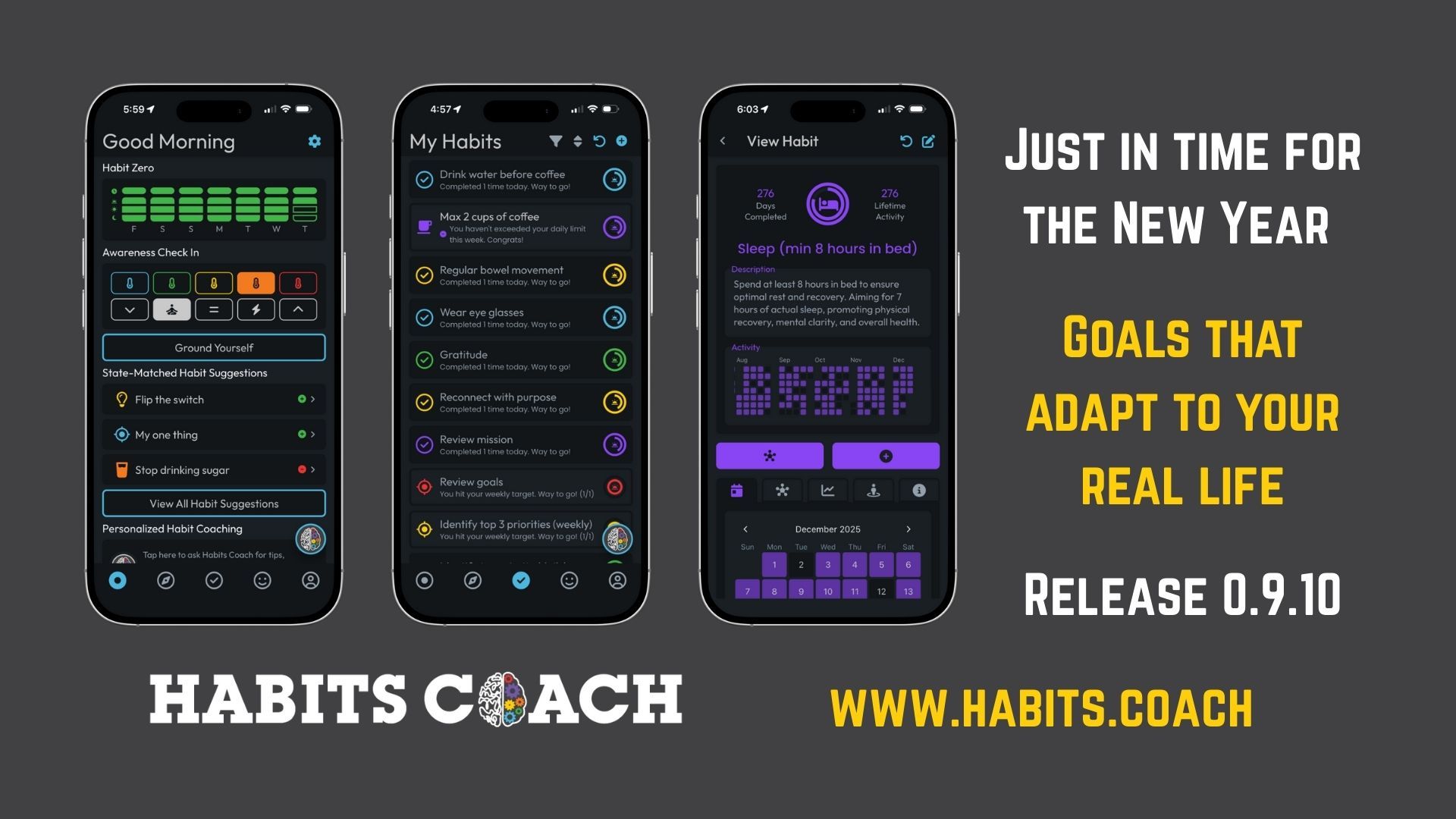
Each habit now gives you a complete picture of execution, consistency, alignment, and learning — all in one place.
Dual Completion Circles
Around the habit icon you’ll now see two circles:
- Outer circle → Habit activity today
- Inner circle → Habit progress for the current period (Progress is Weekly for daily/weekly habits and Monthly for monthly habits)
This separates “Did I show up today?” from “Am I on track over time?”
One-Year Heatmap
In the top section of the screen, you’ll see a 12-month heatmap, giving you instant visual feedback on consistency.
Patterns become obvious — without judgment.
Quick Actions
- Add Habit Activity
- Add Encoding Entry (reflect + install learning)
- Edit Habit (still in the upper-right corner)
Habit Tabs Overview
Tab 1 – Calendar
- Monthly calendar heatmap
- Scroll through months
- Tap a day to view entries
- Remove an entry by tapping the (x)
Tab 2 – Encoding Entries
- All reflections linked to this habit
- This is where learning becomes identity
Tab 3 – Trends
- Directional trend + written analysis
- Automatically recalculated when the habit is updated and periodically after new reps
Tab 4 – State Alignment
- Shows nervous system matching by Time of day, State and Intent
- Wherever a habit is listed, fully matched habits are highlighted, and if none match, the habit is dimmed
- Adjust defaults anytime in Edit Habit
Tab 5 – Info
- All habit settings
- Linked goals
Progress Items Screen (Principles, Roles, Relationships, Strengths, Challenges)
Progress items now mirror the same clarity as habits.
What’s New
- Trend summary at the top
- Cleaner layout, fewer jumps
Quick Actions
- Encoding Entry button
- Add Check-In button
- Edit item (still in the upper-right corner)
Tabs
Tab 1 – Progress & Trends
- Graph + trend analysis
- Recalculated automatically after updates
Tab 2 – Encoding Entries
- Reflections tied to growth and alignment
Tab 3 – Check-In History
- Full list of check-ins
- Remove entries with (x) if needed
Tab 4 – Info
- All progress items settings
- Linked goals
Intention (Goal) Screen (Major Upgrade)
Goals are no longer static statements — they’re now living predictions.
Goal Prediction Circle
Each goal shows a prediction score, calculated automatically from:
- Linked habits
- Linked progress items
This reflects how likely this goal is to move forward given current behaviour.
Key Intention Fields at the Top
- What (the goal)
- Why (meaning)
- Price (what it costs)
- Measure (how you’ll know)
Tabs
Tab 1 – Encoding Entries
- Learning + recommitment
Tab 2 – Linked Items
- Manage linked:
- Principles
- Roles
- Relationships
- Strengths
- Challenges
- Habits
Tab 3 – Trends
- Goal trend analysis
- Recalculated when:
- Items are linked/unlinked
- Habits or progress items update
Tab 4 – Info
- Remaining goal settings
2. State-Matching Habits (Fully Rebuilt)
This update tightens one of the core ideas behind Habits Coach:
Habits don’t fail — they run out of state.
Why Awareness Check-Ins Matter
Your nervous system state predicts which habits will run.
So instead of forcing consistency, the app now helps you match habits to your current capacity.
What Changed
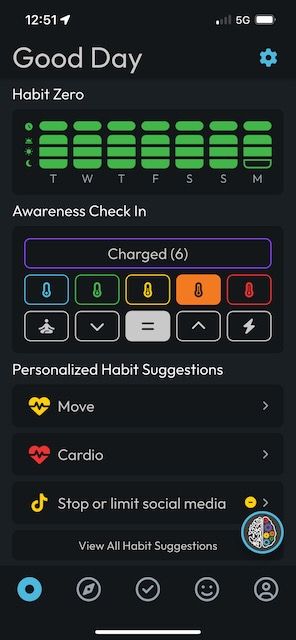
- Awareness Check-Ins are simpler
- Now includes State + Intent
- Energy tracking removed from check-ins → If you want to track energy, add it as a Strength
- Habit suggestions update based on your latest check-in
- On Today and Habits screens:
- If time of day + state + intent match → habit is highlighted
- If none match → habit is dimmed
- Every habit has a default state + intent
- Fully editable in Edit Habit
- State-matching can be enabled or disabled in Settings
This keeps the app supportive — not demanding.
3) Trend Analysis (Habits, Progress, and Goals)
Trend analysis answers one core question:
“Is this becoming more or less likely to run over time?”
How Trends Work (High Level)
- Trends are directional, not judgmental
- They look at:
- Consistency
- Frequency
- Recent vs older behaviour
- More recent data is weighted more heavily
- Trends update automatically when:
- New entries are logged
- Items are edited
- Linked items change (for goals)
You don’t need to interpret raw data — the app translates patterns into plain-language insights.
4) Vacation Mode 🌴
This is a feature I’ve wanted for a long time.
Some habits and progress items just don’t matter on vacation — and tracking them creates noise.
How It Works
- Enable Vacation Mode in Settings
- When active: Only habits and progress items marked as vacay-enabled are shown on the home screen
Per-Item Control
- Each habit or progress item has a Vacation Mode toggle
- Found under Advanced Settings
This keeps awareness intentional — not cluttered.
5) Guided Onboarding (Less Overwhelm)
This app does a lot — so onboarding is now staged.
New users are guided step-by-step:
- Starts with Suggested Habits
- Add 1 habit → and Habit Zero unlocks
- Add 1 Strength
- Add 1 Challenge
- After 3 habits→ Prompted to enable state-matched habits
No overwhelm. Just momentum.
6) Bug Fixes & Defaults
A couple of important cleanups:
- Fixed Habit Zero logging issue after midnight
- Default start of day is now midnight (Previously 3am)
Summary of What’s New
Updated
- Habits, Progress, and Goals view screens
- State-matching habits across the app
New
- Trend analysis for habits, progress, and goals
- Vacation Mode
- Guided onboarding for new users
Fixed
- Habit Zero midnight logging
- Day boundary reset to midnight
Your Next Step
If you already use the app:
- Open one habit
- Check the Trends tab
- Add an Encoding Entry
- Try a state-matched habit today
If you’re new:
- Start with one habit
- Let awareness do the heavy lifting
Awareness in. Intelligent action out.
Explore what’s new in the Habits Coach app — and start building the habit that makes all other habits possible.